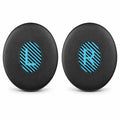
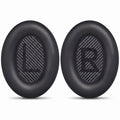



How to replace Bose QC45 ear pads: the complete guide (also QC SE and QuietComfort 2023)
When should you replace them?
Ear pads wear out. That is normal, also on expensive headphones. You usually notice it in the PU leather first. Look for these signs:
- The leather is flaking or torn. You find black flakes on your ears, in your hair or on your pillow.
- The ear pad feels flat or hard. The foam no longer springs back.
- Noise cancelling feels weaker. A worn ear pad no longer seals properly. Sound leaks in and the bass sounds thinner.
- The ear pad is loose or hangs on one side.

With daily use that is often after one to two years. New ear pads cost a fraction of new headphones. Your QC45 feels like new again afterwards.
Do you really have a QC45?
Check this before you order. Bose has several models that look alike. The easiest difference is the charging port. The Bose app also shows which model you have.
| Your headphones | How to recognise them | Which ear pads? |
|---|---|---|
| Bose QC45 | USB-C charging port | ✓ This manual |
| QuietComfort SE | Same shape as the QC45, USB-C | ✓ This manual |
| QuietComfort (2023) | Same shape as the QC45, USB-C | ✓ This manual |
| QuietComfort SC | Same shape as the QC45, USB-C | ✓ This manual |
| QC35 or QC35 II | Older, smaller micro-USB port | QC35 ear pads |
| QC Ultra | Newer, sleeker design | QC Ultra ear pads |
Not sure? Send us a photo of your headphones. We will check it with you.
Before you start
- Switch your headphones off and put them on a clean table.
- Find left and right. The thin fabric inside the ear cup is marked with an L or R. The new ear pads are also marked L and R.
- Do one side at a time. That way you always have the other side as an example.
How to replace them, step by step
[[steps]]
Is it on properly?
There are ten small tabs around the ear cup. An ear pad only sits properly when it is held under all ten. This is how you check:
- Gently pull on the rim, all the way around. Nothing comes loose.
- The ear pad lies equally flat on the ear cup everywhere. There is no gap.
- Put the headphones on and switch noise cancelling on. Does it sound quiet and full? Then it is on properly.
Not working?
- One side is loose. One tab is not holding yet. Press the rim down firmly again at that spot.
- The ear pad sits crooked. Check that you have not swapped left and right.
- The inner fabric has come loose. Put it back in place and gently press only the edges. Do not press on the middle.
- The bass sounds thinner. The ear pad is not sealing all the way around yet. Check the whole rim.
Still stuck? Send us a message. We are happy to help.
How to make your new ear pads last longer
- Wipe them now and then with a slightly damp cloth. Do not use cleaning products.
- Do not leave your headphones in full sun or on a radiator.
- Store them in the case.
- After sport? Let the ear pads dry first.
You can find more tips on our page about cleaning and maintaining ear pads. All ear pads for Bose are in the Bose collection.